Succession Planning
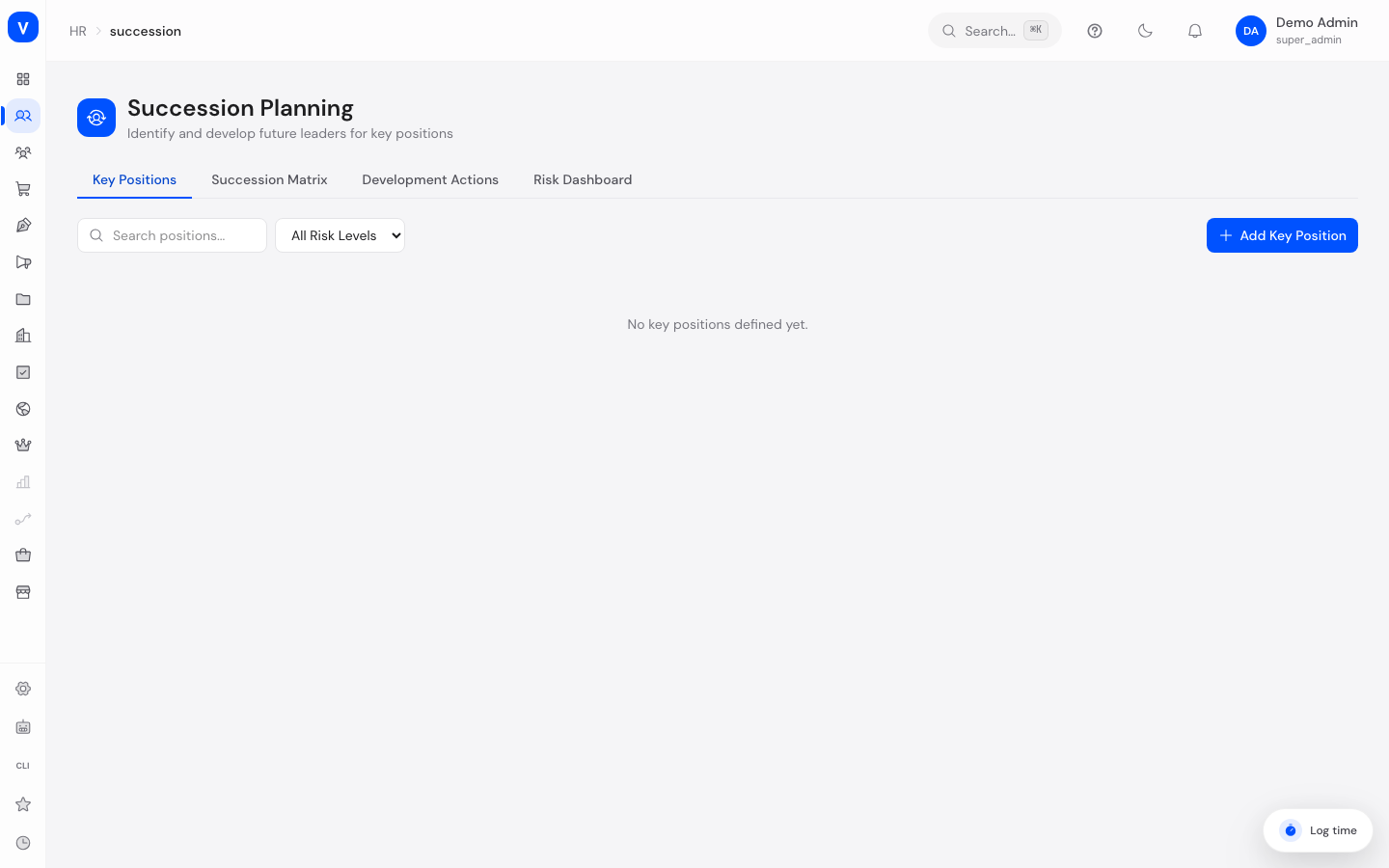
This page helps you plan who could take over important positions in the company if the current holder leaves or is unavailable. You mark key positions, assign possible successor candidates to them, and track development actions that prepare those candidates for the role.
/hr/successionWhat can I do here?
- Define key positions in the company and assign them a risk level.
- Nominate possible successor candidates for a key position and assess their readiness.
- Record strengths, development areas, and notes for a candidate.
- Create, start, and complete development actions (e.g. training, mentoring, job rotation) for a candidate.
- View a succession matrix summarizing all key positions with their candidates and readiness.
- See in the Risk Dashboard how many positions are critical/high risk or have no successor candidates.
Step by step
- Create a key position — In the "Key Positions" tab, click "Add Key Position", set the title, department, and risk level, and optionally the current holder.
- Nominate candidates — Add one or more employees as successor candidates for a key position and set their readiness (e.g. "Ready Now" or "Developing").
- Create a development action — In the "Development Actions" tab, record an action for a candidate (title, type, target date) and track its progress using "Start" and "Complete".
- Get an overview — In the "Succession Matrix" tab, review all positions with their candidates at a glance; in the "Risk Dashboard" tab, see the overall picture (critical positions, unfilled successions).
Fields explained
| Field | Meaning | Notes/Impact |
|---|---|---|
| Title (position) | Name of the key position | E.g. "Head of Sales" |
| Department | Department the position belongs to | Optional |
| Current holder | Employee currently holding the position | Optional, informational only |
| Risk level | How critical it would be if this position became vacant | See "Risk level" below |
| Candidates | Number of successor candidates nominated for this position | Shown in the table and the matrix |
| Readiness | How quickly a candidate could take over the position | See "Readiness" below |
| Strengths | Free text on the candidate's strengths for this role | Optional |
| Development areas | Free text on areas where the candidate still needs to grow | Optional |
| Action (title) | Name of the development action | E.g. "Leadership Training Q3" |
| Type (action) | Kind of development action | See "Action type" below |
| Target date | Planned completion date for the action | Optional |
| Status (action) | Current state of the action | See "Action status" below |
Values & status
Risk level
| Value | Meaning | What happens then |
|---|---|---|
| Low | A vacancy in this position would be easy to absorb | Not counted as a risk on the dashboard |
| Medium | Normal risk | Not highlighted separately on the dashboard |
| High | A vacancy would be noticeably problematic | Counted under "High Risk" on the Risk Dashboard |
| Critical | A vacancy would be very serious for the company | Counted under "Critical Risk" on the Risk Dashboard |
Readiness
| Value | Meaning |
|---|---|
| Ready Now | The candidate could take over the position immediately |
| Ready in 1 Year | The candidate is expected to be ready in one year |
| Ready in 2 Years | The candidate is expected to be ready in two years |
| Developing | The candidate is still developing, with no fixed timeframe |
| Not Ready | The candidate is not currently a realistic option |
Action type
| Value | Meaning |
|---|---|
| Training | Professional or methodical development |
| Mentoring | Guidance from an experienced person |
| Job Rotation | Temporary move into a different role to build skills |
| Stretch Assignment | Challenging additional task for further development |
| Coaching | Individual guidance from a coach |
| Certification | Obtaining a formal qualification/certification |
Action status
| Value | Meaning | What happens then |
|---|---|---|
| Planned | The action has been created but not yet started | Can be started via "Start" |
| In Progress | The action is currently underway | Can be finished via "Complete" |
| Completed | The action was successfully finished | Counted as a completed development action |
| Cancelled | The action was ended early | Not counted as completed |
FAQ
What is a key position?
A position in the company whose vacancy would be especially critical — for example a leadership role or a position requiring very specialized knowledge.
How do I see which positions most urgently need a succession plan?
The Risk Dashboard separately highlights positions with high or critical risk level, as well as positions with no candidates at all.
Can one person be a candidate for multiple positions at the same time?
Yes, an employee can be nominated as a successor candidate for several key positions.
What is the succession matrix useful for?
It shows all key positions together with their candidates and readiness level at a glance — so you can immediately see where succession coverage is sufficient and where it is not.
How are development actions related to a candidate's readiness?
Development actions are the concrete steps used to prepare a candidate for a higher readiness level — however, the readiness level itself is maintained manually on the candidate profile and is not automatically calculated from completed actions.