Global Tax Rules
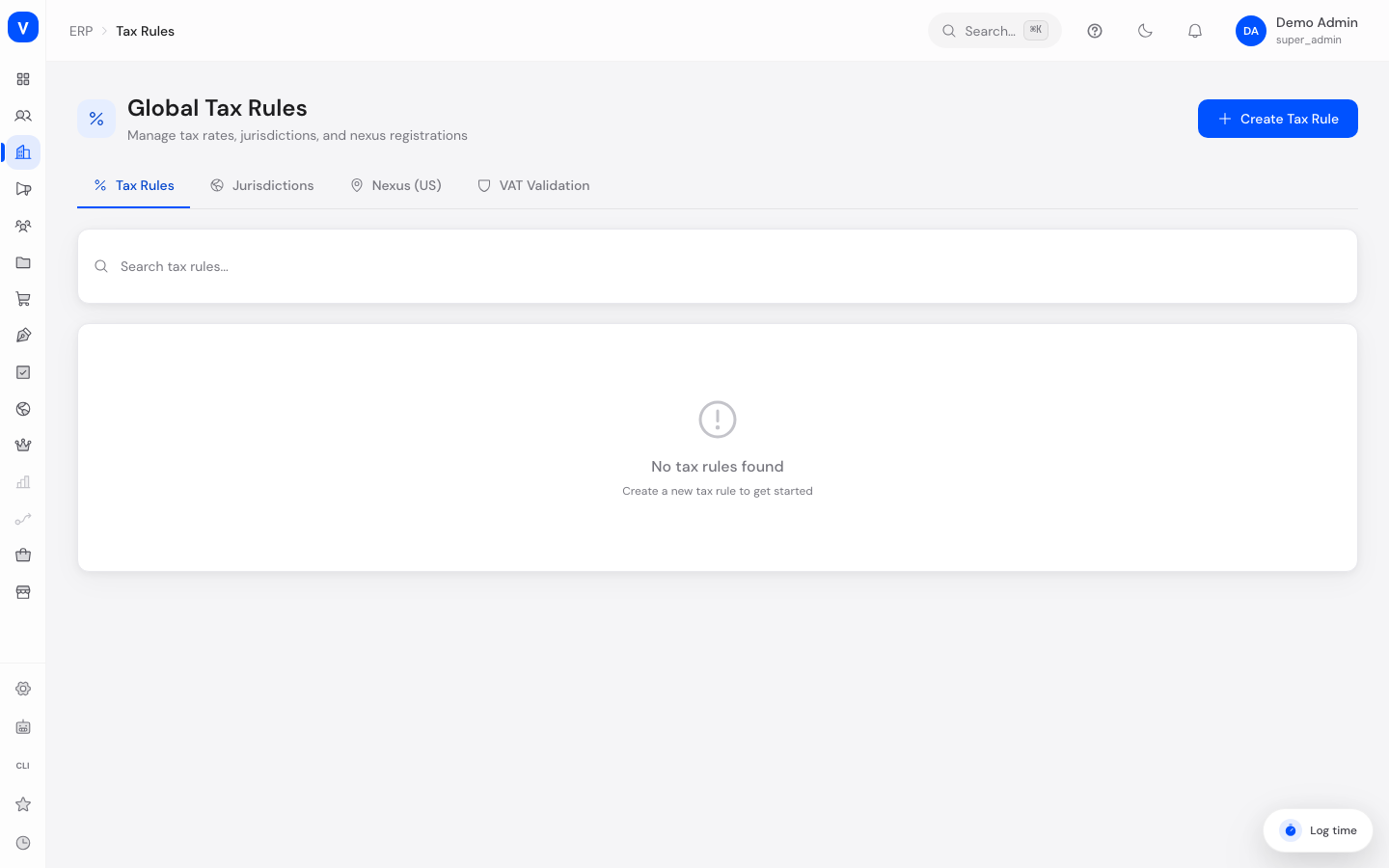
Here you define which tax rates apply to your products in which country or US state. You can also see an overview of the tax systems supported worldwide, manage US tax registration obligations (nexus), and validate European VAT identification numbers.
What can I do here?
- Create, edit, search, and delete your own tax rules — with country, tax class, tax rate, and priority
- Turn a tax rule on or off
- View an overview of all supported countries with their tax systems and standard tax rates
- Manage US nexus registrations (the obligation to register for tax in individual US states) and remove them
- Validate a European VAT ID against the official VIES service (the EU's system for checking VAT identification numbers)
Step by Step
- Create a new tax rule: Open the "Tax Rules" tab and click "Create Rule" in the top right. Give it a name, choose the country, tax class, and rate, optionally set a priority, and save.
- Edit a tax rule: Click an existing rule in the list, change the fields you need, and save again.
- Check the country overview: Switch to the "Jurisdictions" tab to see which tax systems and standard rates are configured for each country.
- Validate a VAT ID: Open the "VAT ID Check" tab, enter the number to check (e.g. "DE123456789"), and click "Check". The result shows whether the number is valid, along with the company's name and address if available.
flowchart LR
    A[Create tax rule] --> B[Set country + tax class + rate]
    B --> C{Active?}
    C -->|Yes| D[Applied to matching orders]
    C -->|No| E[Ignored until reactivated]
/erp/tax-rulesFields Explained
| Field | Meaning | Notes/Impact |
|---|---|---|
| Name | Freely chosen label for the tax rule | For your own overview only |
| Country | Two-letter country code (e.g. DE, AT, FR) the rule applies to | Determines which country the rate is applied for |
| Tax Class | The category a product or service belongs to (e.g. Standard, Reduced) | Determines which rate applies to which type of product |
| Rate | Percentage of tax to apply | Calculated automatically for matching orders |
| Priority | Number that determines the order when multiple rules match | Higher values are given precedence according to internal logic |
| Active/Inactive (toggle) | Determines whether a rule currently applies | Inactive rules are skipped during tax calculation |
| Jurisdiction (country card) | Name and country code of a supported tax system | Shows the standard tax rates that apply there |
| Jurisdiction (nexus) | Code of the US state or territory where a registration obligation applies | e.g. "US-CA" for California |
| Nexus Type | Kind of tax registration obligation in a US state | Indicates what triggered the obligation |
| Effective Date | Date from which the nexus registration applies | Taken into account during tax calculation |
| VAT ID (input field) | The European VAT identification number to check | Format: country prefix + number, e.g. "DE123456789" |
| Check | Sends the VAT ID to the official VIES service for validation | Shows validity plus name/address afterward, if available |
Values & Status
Tax Classes
| Label | Meaning | What happens next |
|---|---|---|
| Standard | The regular tax rate for most products and services | Applied to all products not assigned to a special class |
| Reduced | A lower tax rate, e.g. for certain categories of goods | Applied only to products assigned to this class |
| Zero | A 0% tax rate | For products that are taxable but rated at 0% |
| Exempt | Fully exempt from tax | For products or services with no tax obligation |
| Intra-Community | Special rule for supplies between businesses within the EU (intra-community supply) | Typically applied when the buyer has a valid VAT ID |
Nexus Types (US)
| Label | Meaning | What happens next |
|---|---|---|
| physical | Physical presence in the given US state (e.g. warehouse, office, employees) | Triggers a tax registration obligation in that state |
| economic | Economic presence through revenue or transaction thresholds in the state | Triggers a registration obligation once the threshold is exceeded |
| marketplace | Registration handled via a marketplace facilitator | The marketplace may take on the tax obligation instead |
VAT ID Check Result
| Label | Meaning | What happens next |
|---|---|---|
| VAT ID is valid | The checked number was confirmed by the VIES service | The company's name and address are shown, if available |
| VAT ID is invalid | The checked number could not be confirmed | The number should be re-checked or corrected before use |
Frequently Asked Questions
What is a tax class?
A tax class groups products that share the same tax rate — for example "Standard" for most goods, or "Reduced" for certain categories with a lower rate.
What does "nexus" mean for the US registrations?
Nexus describes the obligation to collect and remit sales tax in a specific US state. This obligation can arise from physical presence, high sales volume, or through a marketplace facilitator.
What is VIES?
VIES is the European Union's official online service for checking whether a VAT identification number is valid. The "VAT ID Check" tab queries this service directly.
What does "intra-community" mean?
It refers to supplies between businesses in different EU countries that can be treated as tax-exempt under certain conditions, such as the buyer having a valid VAT ID.
Which rule applies if several match?
The "Priority" value determines the order in which multiple matching rules are considered.