Returns
Here you process customer returns — from the initial request through inspecting the returned goods to the refund. Each return moves through several stages that you confirm step by step.
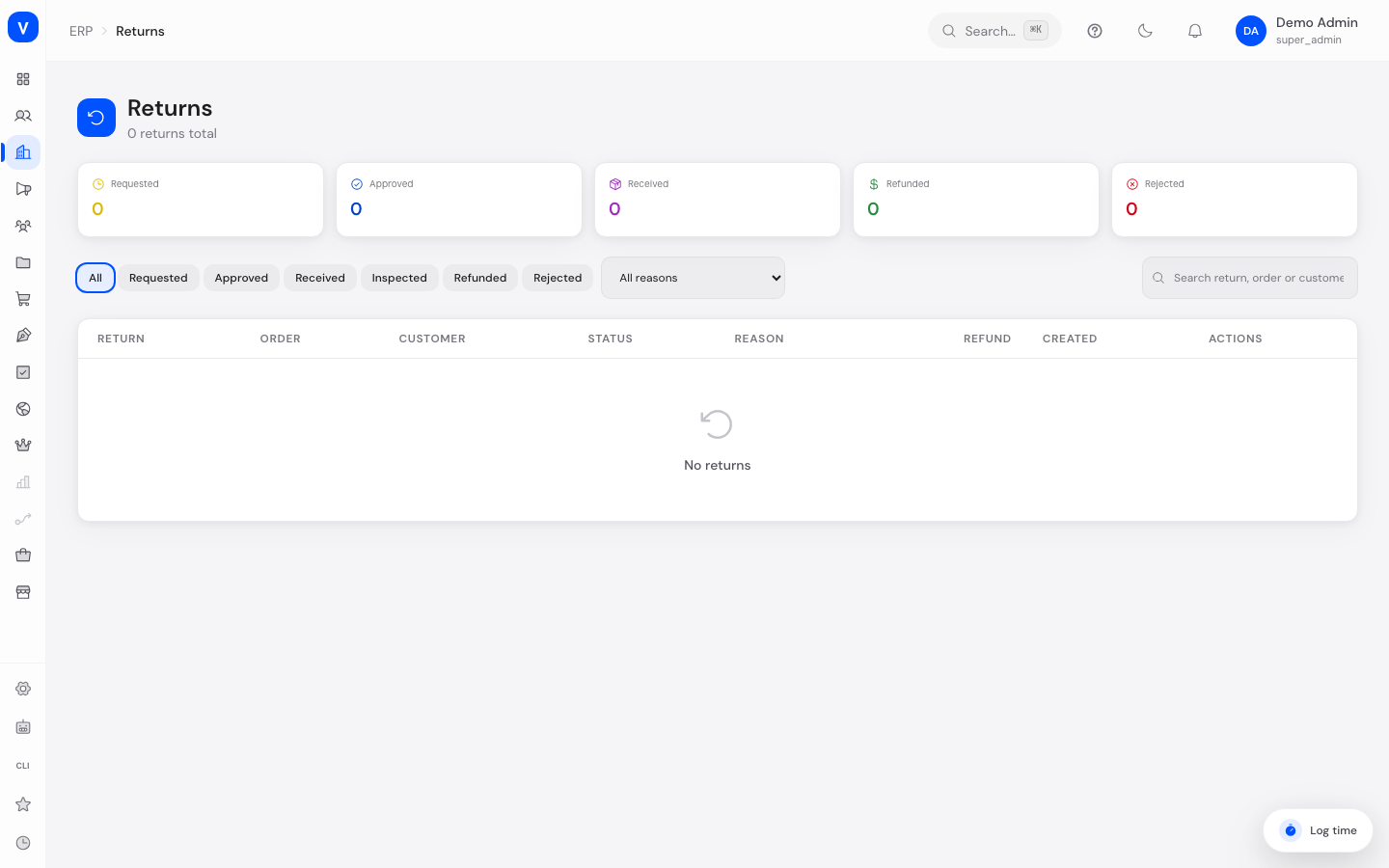
/erp/returnsWhat can I do here?
- View key figures for requested, approved, received, refunded, and rejected returns
- Filter returns by status and return reason and search by keyword
- Advance a return step by step (Approved → Received → Inspected → Refunded) or reject a requested return
- Set the condition of each returned item while inspecting
- Decide whether inspected items should be put back into stock
- Choose the refund method (original payment method, store credit, or bank transfer)
- Record inspection notes for a return and view the return shipment's tracking number
Step by step
- Approve or reject a return: Open a newly requested return and approve it via the advance arrow, or reject it via the X icon.
- Confirm receipt: Once the goods have arrived at the location, advance the approved return to "Received" via the advance arrow.
- Inspect items: Expand the return, set the condition for each item (new, like new, damaged, defective, unsellable), optionally add inspection notes, and specify whether the items should be restocked — then advance to "Inspected".
- Refund: Choose the refund method (original payment method, store credit, bank transfer) and advance the return to "Refunded".
- Return
- RET-2026-0044
- Order
- ORD-2026-0001
- Customer
- A. Example
- Reason
- Wrong quantity delivered
- Return tracking
- TRK-2026-000241
| Product | Qty | Unit price | Condition | Refund |
|---|---|---|---|---|
| Example screw M6 | 20 | EUR 1.60 | ✓Like new | EUR 32.00 |
| Example nut M6 | 5 | EUR 0.40 | ×Damaged | EUR 0.00 |
/erp/returnsFields explained
| Field | Meaning | Notes/Effect |
|---|---|---|
| Return Number | Identifier of the return | Assigned automatically |
| Order | Original order the return belongs to | — |
| Customer | Customer name and email | — |
| Status | Current processing stage | See values below |
| Return Reason | Reason given by the customer | Defective, wrong item, not as described, changed mind, too late, damaged in shipping, other |
| Refund Amount | Requested, approved, or actually paid-out amount | Shown differently depending on the processing stage |
| Condition (per item) | Assessment of the returned goods during inspection | See values below |
| Restock | Whether inspected items should go back into sellable stock | Set during inspection |
| Refund Method | How the refund is paid out | See values below |
| Return Tracking Number | Tracking number of the return shipment | Only shown if recorded |
Values & statuses
Status (return_status)
| Value | Plain-language meaning | What happens |
|---|---|---|
| requested | Requested | Customer has registered the return, awaiting approval |
| approved | Approved | Return has been accepted, customer can send the goods back |
| received | Received | Goods have arrived at the location |
| inspected | Inspected | Condition of the goods has been assessed |
| refunded | Refunded | Refund has been issued |
| partially_refunded | Partially Refunded | Only part of the amount has been refunded |
| rejected | Rejected | Return request was rejected |
| cancelled | Cancelled | Return was cancelled |
Item condition (return_item_condition)
| Value | Plain-language meaning |
|---|---|
| new | New |
| like_new | Like New |
| damaged | Damaged |
| defective | Defective |
| unsellable | Unsellable |
Refund method (return_refund_method)
| Value | Plain-language meaning |
|---|---|
| original_payment | Original payment method |
| store_credit | Store credit |
| bank_transfer | Bank transfer |
Return reason (return_reason)
| Value | Plain-language meaning |
|---|---|
| defective | Defective |
| wrong_item | Wrong item |
| not_as_described | Not as described |
| changed_mind | Changed mind |
| too_late | Too late |
| damaged_shipping | Damaged in shipping |
| other | Other |
Frequently asked questions
What happens if I reject a return?
It gets status "Rejected" and is no longer processed — no refund takes place.
Are returned items automatically put back into stock?
Only if you confirm this via the corresponding checkbox during inspection — the decision rests with the inspector, depending on the assessed condition.
Can I refund only part of the amount?
Yes, that's what the "Partially Refunded" status is for.
Where do I see the reason for a return?
In the "Reason" column in the list, and in more detail as a free-text note in the expanded detail view, if the customer provided a description.