Price Recommendations
Price Recommendations automatically suggests new selling prices for your products. Five different strategies are available, for example margin optimization or clearance for slow-moving stock. You decide in the end whether to accept a price suggestion — or let particularly reliable suggestions apply themselves automatically.
What can I do here?
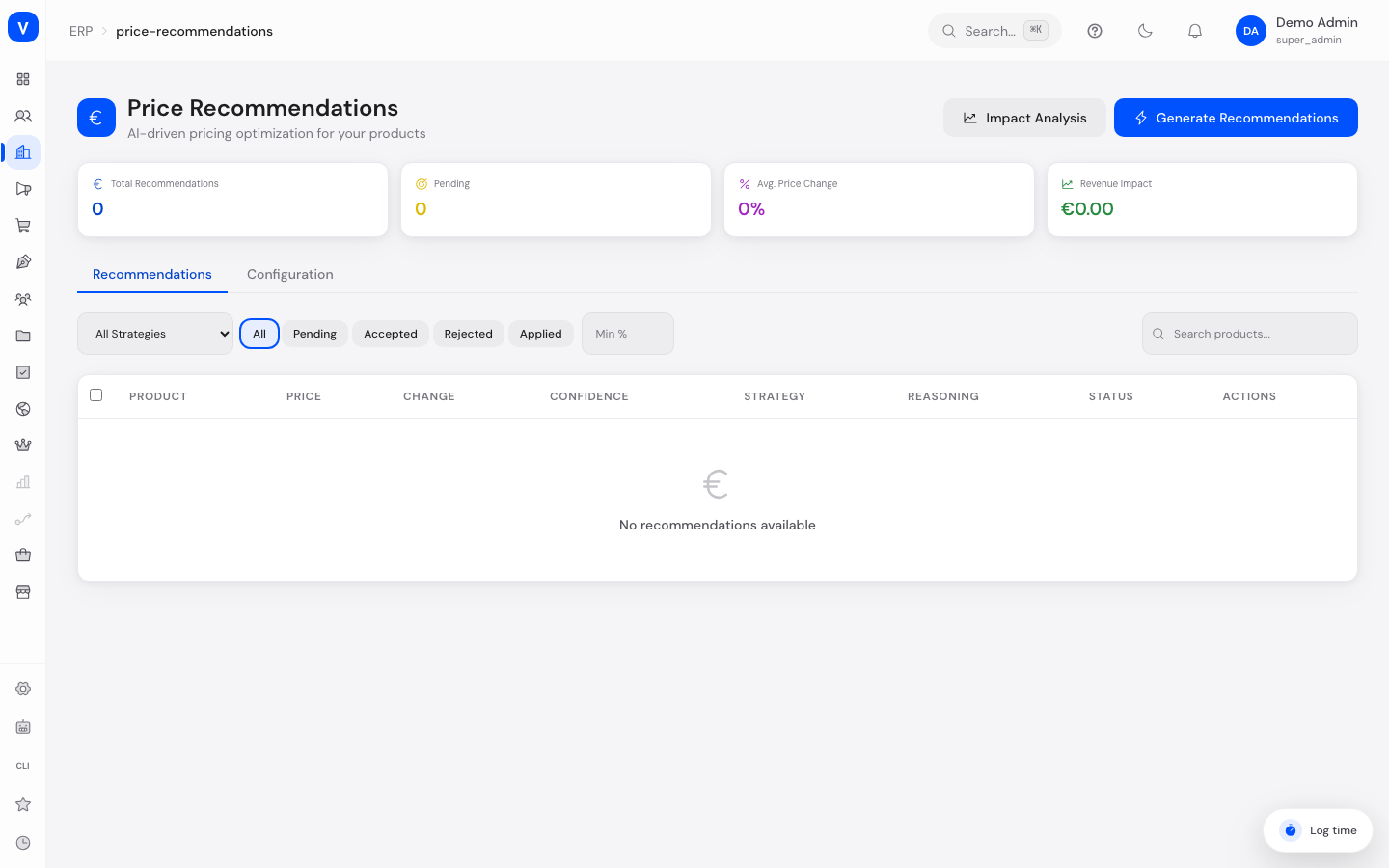
- Get an overview of pending price recommendations, average price change, and estimated revenue impact
- Generate new price recommendations for your products (using the default strategy set in configuration)
- Search and filter recommendations by strategy, status, minimum confidence, or product name
- Accept a single recommendation (the new price is applied immediately) or reject it
- Accept or reject multiple selected recommendations at once
- Open a product's detail view with price comparison, confidence, reasoning, and the factors that were taken into account
- Open an impact analysis showing what would happen if all pending recommendations were applied
- Adjust the configuration (enable/disable, default strategy, target margin, price bounds, auto-apply threshold, competitor price check)
- Clean up (delete) old recommendations
Step by step
- Generate recommendations: Click "Generate Recommendations" in the top right. The system computes new price suggestions for active products with a price greater than zero, using the default strategy.
- Review and accept/reject a recommendation: Open a row in the table to see the price comparison, confidence, and reasoning. Click the checkmark to apply the new price, or the X to discard the recommendation.
- Bulk-process recommendations: Check the boxes for several pending recommendations and use "Accept All" or "Reject All" in the action bar.
- Estimate impact beforehand: Click "Impact Analysis" to see the estimated change in revenue and profit if all pending recommendations were applied — before you actually apply anything.
Fields explained
| Field | Meaning | Notes/Effect |
|---|---|---|
| Product | Name of the affected product | — |
| Price (Current → Recommended) | Previous selling price and suggested new price | — |
| Change | Percentage price change vs. the current price | Green = increase, red = decrease |
| Confidence | How reliable the system considers the suggestion (0–100%) | Depends on the strategy and available data (e.g. cost price, sales velocity) |
| Strategy | Calculation method used for the price suggestion | See "Values & Status" below |
| Reasoning | Short text explaining why this price was suggested | — |
| Factors | Additional inputs that fed into the calculation | Only visible in the detail view |
| Status | Current processing state of the recommendation | See "Values & Status" below |
| Min/Max (detail view) | Price bounds the suggestion must stay within | Derived from the price multipliers in the configuration |
| Price Recommendations Enabled | Whether the module is active at all | Configuration |
| Default Strategy | Strategy used when "Generate Recommendations" is run | Configuration |
| Target Margin % | Target profit margin above the cost price | Used by the "Margin Optimization" strategy |
| Min/Max Price Multiplier | How far a suggestion may fall below/above the current price at most | Protects against unrealistic price jumps |
| Auto-Apply Confidence Threshold | Confidence level at which a recommendation is applied automatically without manual confirmation | At 0, automatic application is effectively disabled |
| Competitor Price Check Enabled | Whether the "Competitive Pricing" strategy should take extra market data into account | Configuration |
Values & statuses
Strategy
| Value | Plain-language meaning | What happens |
|---|---|---|
| Margin Optimization | Aims for a fixed profit margin above the cost price | Price is calculated to hit the target margin; low confidence if cost price is unknown |
| Competitive Pricing | Approximates an estimated market price (based on the cost price) | Price is set slightly below the estimated market price |
| Demand Based | Compares the product's sales velocity to the average across all products | Price is raised for above-average demand, lowered for low demand |
| Price Elasticity | Determines from historical orders how sensitive demand is to price changes | Suggests the price that would maximize revenue according to the calculation |
| Clearance | Intended for slow-moving products | Suggests a significant discount (up to 50%), depending on how far the product's sales lag behind the average |
Status
| Value | Plain-language meaning | What happens |
|---|---|---|
| Pending | Recommendation was created but not yet processed | Can be accepted or rejected |
| Accepted | Recommendation was manually confirmed | The new price was saved on the product |
| Rejected | Recommendation was manually discarded | Price stays unchanged |
| Applied | Reserved for recommendations already put into effect | — |
| Auto Applied | Confidence was above the configured auto-apply threshold | Price was applied immediately without manual confirmation |
Frequently asked questions
Why was a price changed automatically without my confirmation?
This only happens when a threshold for automatic application is set in the configuration and the recommendation's confidence reaches or exceeds it. Such recommendations get the status "Auto Applied". You can raise the threshold in the configuration or set it to 0 to avoid automatic application.
Why is the confidence for "Competitive Pricing" usually lower?
This strategy currently works with an estimate based on your cost price rather than real competitor market prices, so its confidence is deliberately conservative.
What do Min and Max mean in the detail view?
These are the price bounds from the configuration (Min/Max Price Multiplier applied to the current price). No suggestion ever leaves this range.
Can I undo an already-accepted recommendation?
Not directly in this view — only pending recommendations can be accepted or rejected. In that case you would need to manually reset the price on the product.
Related topics
/erp/price-recommendations- Product
- Example screw M6
- Price
- EUR 2.00
- Recommended Price
- EUR 2.20
- Price Change
- +10 %
- Confidence
- 84 %
- Strategy
- Margin Optimization
- Status
- Pending
/erp/price-recommendations