Blog
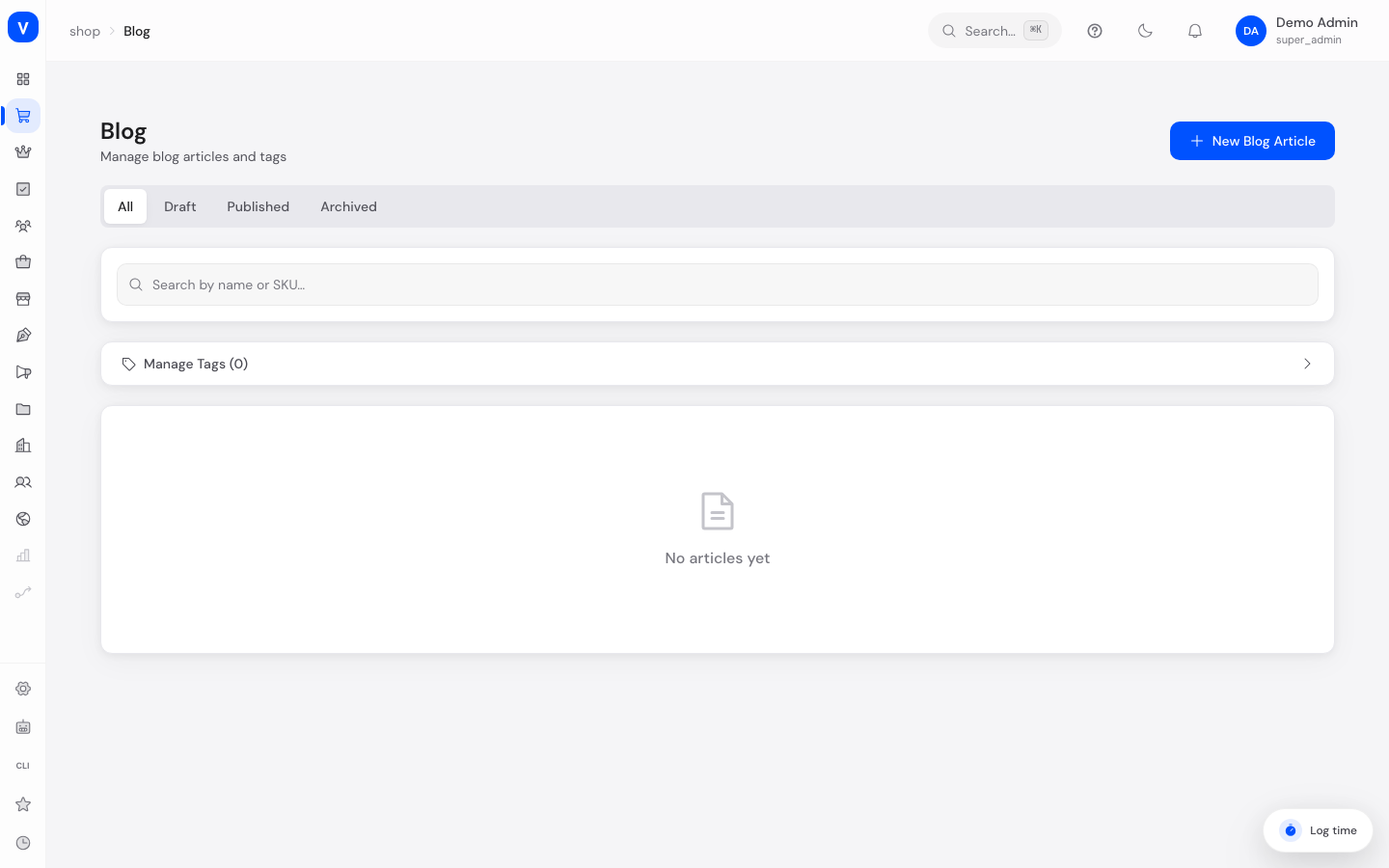
The Blog area is where you manage editorial content for your shop — guides, product news, or general updates. Articles can be organized with tags, scheduled and published.
/shop/blogWhat can I do here?
- Create, edit, and delete blog articles
- Add a title, content, excerpt, and featured image to an article
- Set the publish status and schedule a publish date
- Create, delete, and assign tags to articles
- Search articles by title/content and filter by status or tag
Step by step
- Create a new article: Click "Create article", enter a title (the URL path is suggested automatically) and write the content.
- Add extra details: Optionally add an excerpt, a featured image, and relevant tags.
- Set status and date: Choose the status (Draft, Published, Archived) and, if needed, a publish date.
- Save: Use "Create" or "Save" to store the article. Use tag management to create new tags or remove ones you no longer need.
Fields explained
| Field | Meaning | Notes/Effect |
|---|---|---|
| Title | Headline of the article | Also used to auto-suggest the URL path |
| URL path | Address of the article in the shop | Freely adjustable, should be unique |
| Content | The actual article text | Main body of the post |
| Excerpt | Short summary | Shown e.g. in overview listings |
| Featured image | Cover image of the article | Image URL |
| Author | Writer of the article | Shown in the overview table |
| Status | Visibility status of the article (see value list) | Controls whether the article is public |
| Published at | Date of (planned) publication | Shown in the overview |
| Reading time | Estimated reading duration in minutes | Calculated and displayed automatically |
| Tags | Keywords for categorization | Multiple selection possible, created via tag management |
Values & status
Article status
| Value | Plain-language meaning | What happens |
|---|---|---|
| Draft | Article is still being worked on | Not publicly visible |
| Published | Article is live | Visible to visitors in the shop |
| Archived | Article is no longer current | Removed from the active view, but kept |
Frequently asked questions
How do I create a new blog article?
Click "Create article", fill in title and content, then save. By default the article starts as a draft.
How do I organize articles by topic?
Use tags. Under "Manage tags" you can create new tags and assign them while creating or editing an article.
Why isn't my article visible in the shop?
Check the status: only articles with status "Published" are visible to visitors.
Can I schedule an article for later?
Yes, use the "Published at" field to set a date.