Newsletter
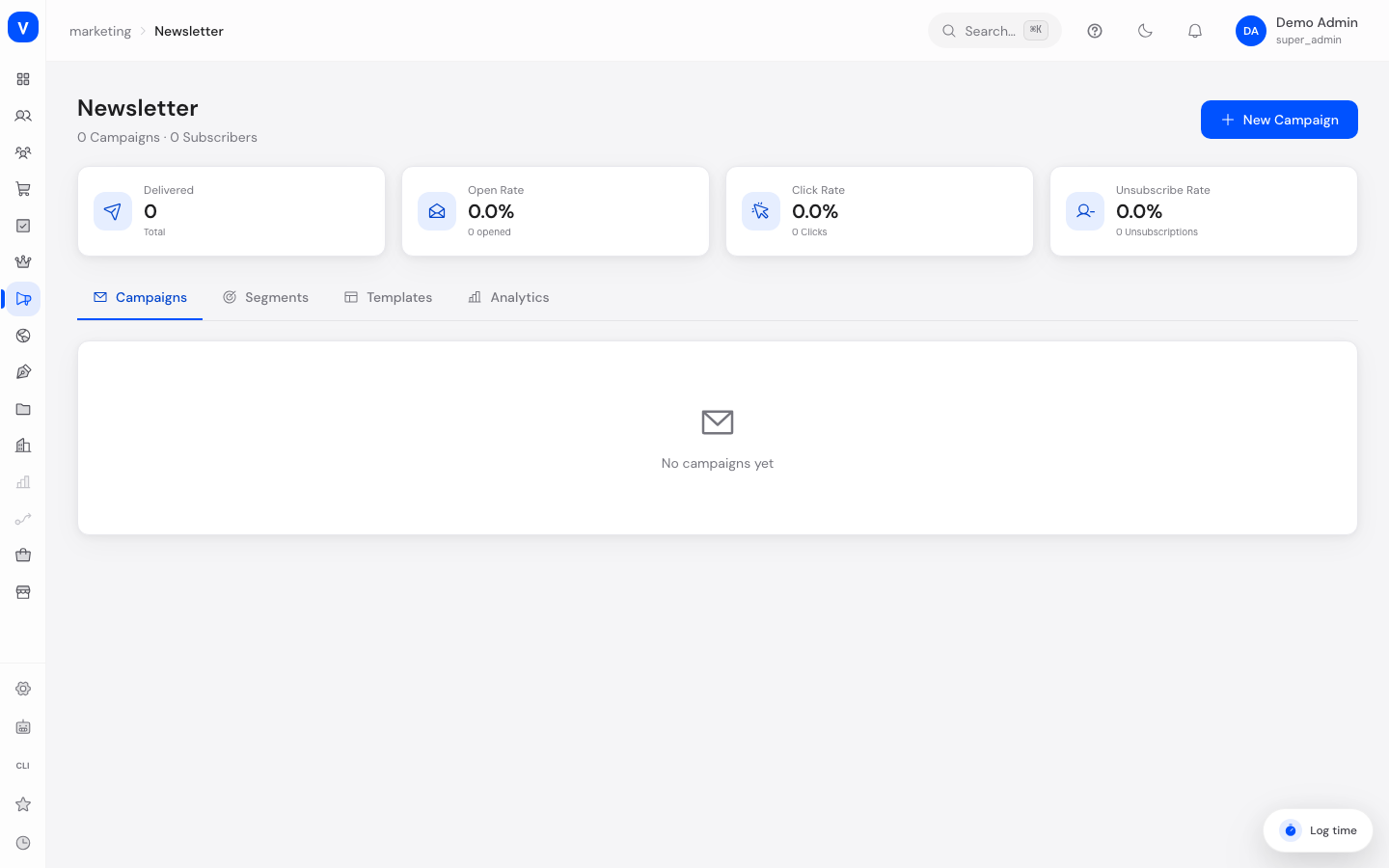
Here you manage your email newsletters: create and send campaigns, maintain recipient segments, create templates, and analyze the results of your newsletters.
/marketing/newsletterWhat can I do here?
- Create new newsletter campaigns through a guided wizard
- Create recipient segments (e.g. "VIP customers")
- Create newsletter templates for different purposes (promotional, welcome, abandoned cart, reactivation, review request, transactional)
- View metrics for delivery, open rate, click rate, and unsubscribe rate
- Analyze campaign performance in detail
Step by step
- Click New campaign to open the creation wizard.
- Details step: Enter campaign name, subject line, preview text, sender name, and sender email.
- Segment step: Select the recipient segment the newsletter should go to.
- Template step: Select a template for the newsletter's layout.
- Content step: Set the send time (send now, schedule a time, or AI-optimal time) and optionally an A/B test (subject line, content, or send time), then finish with Create campaign.
- Afterward, track your campaigns' open and click rates in the Analytics tab.
Fields explained
| Field | Meaning | Notes/Effect |
|---|---|---|
| Campaign name | Internal name of the campaign | For your own overview only, not shown to recipients |
| Subject line | Subject of the sent email | Shown directly in the recipient's inbox; 30–60 characters recommended |
| Preview text | Short text shown in the inbox as a preview next to the subject | A well-written preview increases the open rate |
| Sender | Displayed sender name | Appears as the sender in the recipient's inbox |
| Sender email | Email address the newsletter is sent from | Must be a valid address approved for sending |
| Segment | Recipient group the newsletter is sent to | Determines who receives the campaign |
| Template | Template for the newsletter's layout and design | Determines the visual appearance of the email |
| Send time | Now, scheduled, or AI-optimal | Determines when the campaign is actually sent |
| A/B test | Tests two variants of subject line, content, or send time against each other | Helps determine the more effective variant |
| Delivered | Number of successfully delivered emails | Basis for calculating open and click rate |
| Open rate | Share of delivered emails that were opened | Metric for the effectiveness of subject and sender |
| Click rate | Share of opened emails in which a link was clicked | Metric for the effectiveness of the content |
| Unsubscribe rate | Share of delivered emails that led to an unsubscribe | Should remain low over time |
| Dynamic (segment) | Marks a segment that updates automatically based on conditions | If not dynamic, the recipient list is static |
Values & status
Campaign status
| Value | Meaning | What happens |
|---|---|---|
| Draft | Campaign is created but not yet approved for sending | Campaign can still be edited |
| Scheduled | Send time is set, campaign is waiting to be sent | Campaign is sent automatically at the scheduled time |
| Sending… | Sending is currently in progress | Campaign can no longer be edited while sending |
| Sent | Campaign has been fully sent | Results can be analyzed in the Analytics tab |
| Paused | Sending has been halted | Campaign can be resumed if needed |
Template types
| Value | Meaning |
|---|---|
| Promotional | Template for offers and promotions |
| Welcome | Template for welcome emails to new subscribers/customers |
| Abandoned cart | Template for reminders about incomplete orders |
| Reactivation | Template to re-engage inactive recipients |
| Review request | Template to ask customers for a product review |
| Transactional | Template for automated confirmation/transactional emails |
Frequently asked questions
Where do I set who receives my newsletter?
Via segments in the "Segments" tab. When creating a campaign, you select the desired segment in the "Segment" step.
What does a "dynamic" segment mean?
A dynamic segment updates automatically whenever the underlying conditions change (e.g. new customers who meet the criteria) — you don't have to maintain the recipient list manually.
Does newsletter sending meet legal requirements like GDPR?
Yes: every newsletter automatically includes an unsubscribe link (GDPR Art. 7/CAN-SPAM) and a physical address (CAN-SPAM). Double opt-in is active for EU recipients, and CASL-compliant opt-in is in place for Canada.
Why does my unsubscribe rate matter?
A consistently high unsubscribe rate suggests content, frequency, or audience targeting is off, and can negatively affect the deliverability of future newsletters.