Marketing Integrations
Here you connect SELLERLOGIC Commerce Services to external advertising accounts, social media profiles, and SEO tools. This lets you use campaigns and reports from Google Ads, Microsoft Advertising (Bing), social networks, and SEO tools centrally within SCS.
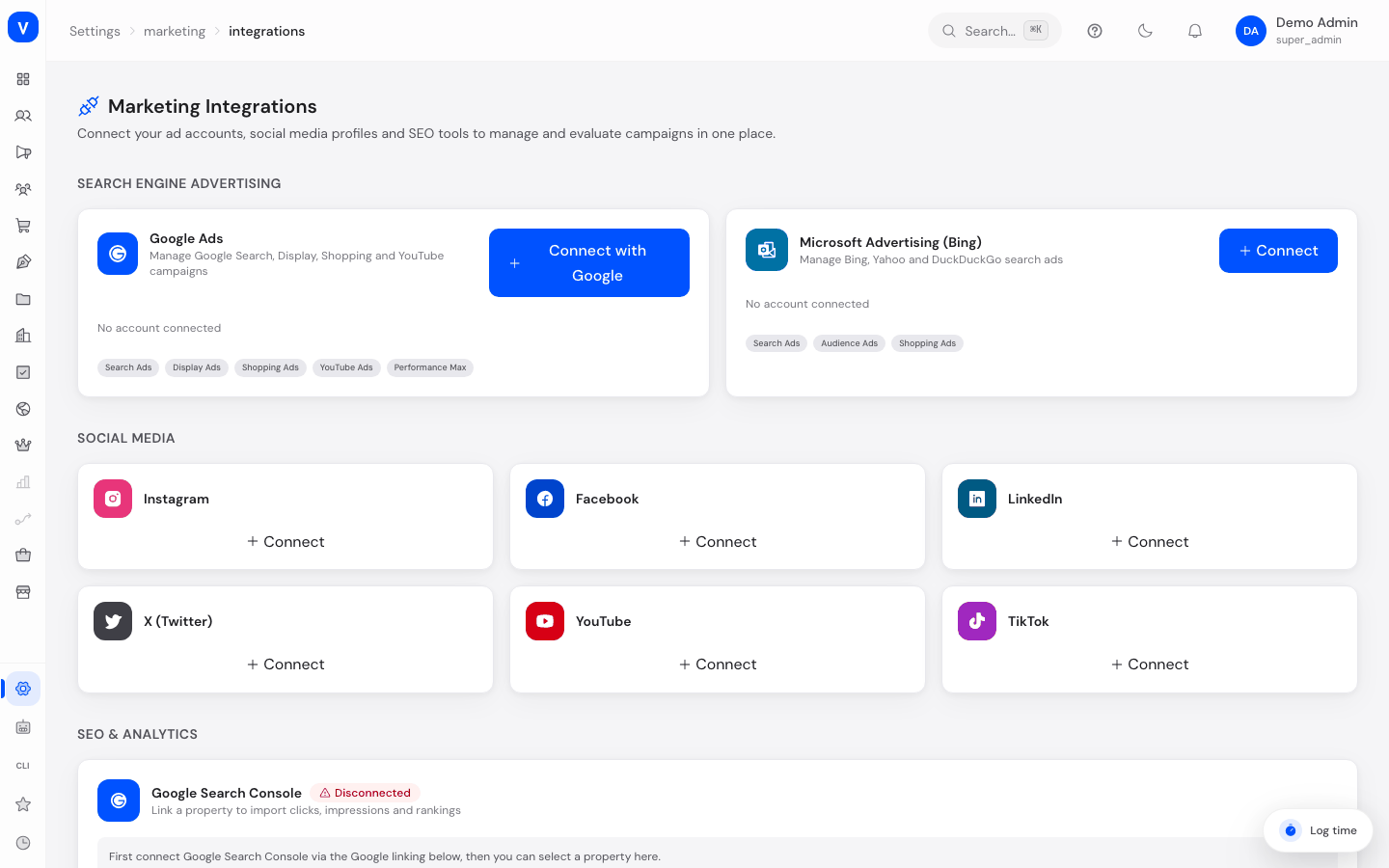
/settings/marketing/integrationsWhat can I do here?
- Connect a Google Ads account via Google sign-in
- Connect a Microsoft Advertising (Bing) account manually with account ID and API key
- Manually sync or disconnect a connected ad account
- Connect/disconnect social media accounts (Instagram, Facebook, LinkedIn, X, YouTube, TikTok)
- Link your Google Search Console property to SCS and sync it
- View SEO/analytics tools such as Bing Webmaster Tools, Google Analytics 4, and Google Tag Manager
Step by step
- Connect Google Ads: In the "Search advertising" section, click Connect with Google next to Google Ads and complete the Google sign-in. SCS automatically saves the connected account afterward.
- Connect Bing Ads: Click Connect next to Microsoft Advertising, enter the account ID, optionally an account name, and the API key, then confirm with Connect.
- Sync an account: Click the sync icon on a connected account to fetch current campaign data.
- Connect a social media account: In the "Social Media" section, click Connect next to the desired platform.
- Link Google Search Console: If Google is already connected via the Google Ads sign-in, select the matching property under Google Search Console in the "SEO & Analytics" section and click Link. After that, use Sync now to fetch clicks, impressions, and rankings.
Fields explained
| Field | Meaning | Notes/Effect |
|---|---|---|
| Account ID | Account identifier of the ad account at Google Ads or Bing Ads | Assigned by the respective advertising platform |
| Account name | Freely chosen name to recognize the account | Only visible internally in SCS |
| API key / OAuth token | Access key to the external ad account | Stored encrypted (AES-256-GCM) |
| Last sync | Timestamp of the last data import from the external account | Shows how current the displayed campaign data is |
| Followers | Number of followers of a connected social media account | Updated when the account is synced |
| Property (Google Search Console) | The website property linked to SCS in Google Search Console | Determines which website SEO data is imported for |
Values & status
Connection status
| Value | Meaning | What happens |
|---|---|---|
| Connected | The account is successfully linked with SCS | Campaign/account data can be synced and analyzed |
| Disconnected | There is no active connection to the external account | No new data is fetched; already-imported campaign data is preserved |
| Syncing... | Data import is currently in progress | Brief state during a sync operation |
Frequently asked questions
What happens if I disconnect an account?
Already-imported campaign data is preserved, but no new data is synced until you reconnect the account.
Why can't I directly link Bing Webmaster Tools, Google Analytics 4, and Google Tag Manager?
These tiles show the available integrations, but a direct link is not yet possible here — only Google Ads, Bing Ads, social media accounts, and Google Search Console can actually be connected at this time.
Where do I see the campaign data from Google Ads and Bing Ads?
After connecting and syncing, you'll find the reports under Search advertising.
Is my API key stored securely?
Yes, access keys are stored encrypted (AES-256-GCM).