Google Workspace
This is where you connect SELLERLOGIC Commerce Services to your Google Workspace so users from a specific organizational unit can be automatically created as bookable staff, and their Google calendars can be used for appointment booking.
What can I do here?
- Store service account credentials for the connection to Google Workspace
- Test the connection and preview the users it finds
- Sync Workspace users as bookable staff
Step by step
- Click Update Credentials and upload the full JSON key of your Google service account.
- Enter the Admin Email (needed for domain-wide delegation) and the OU Path of the organizational unit whose users should be synced. The Domain is inferred automatically from the admin email if left blank.
- Click Test Connection to check whether the credentials work and how many users are found in the OU.
- Click Sync Now to import the found users as bookable staff, or update existing ones.
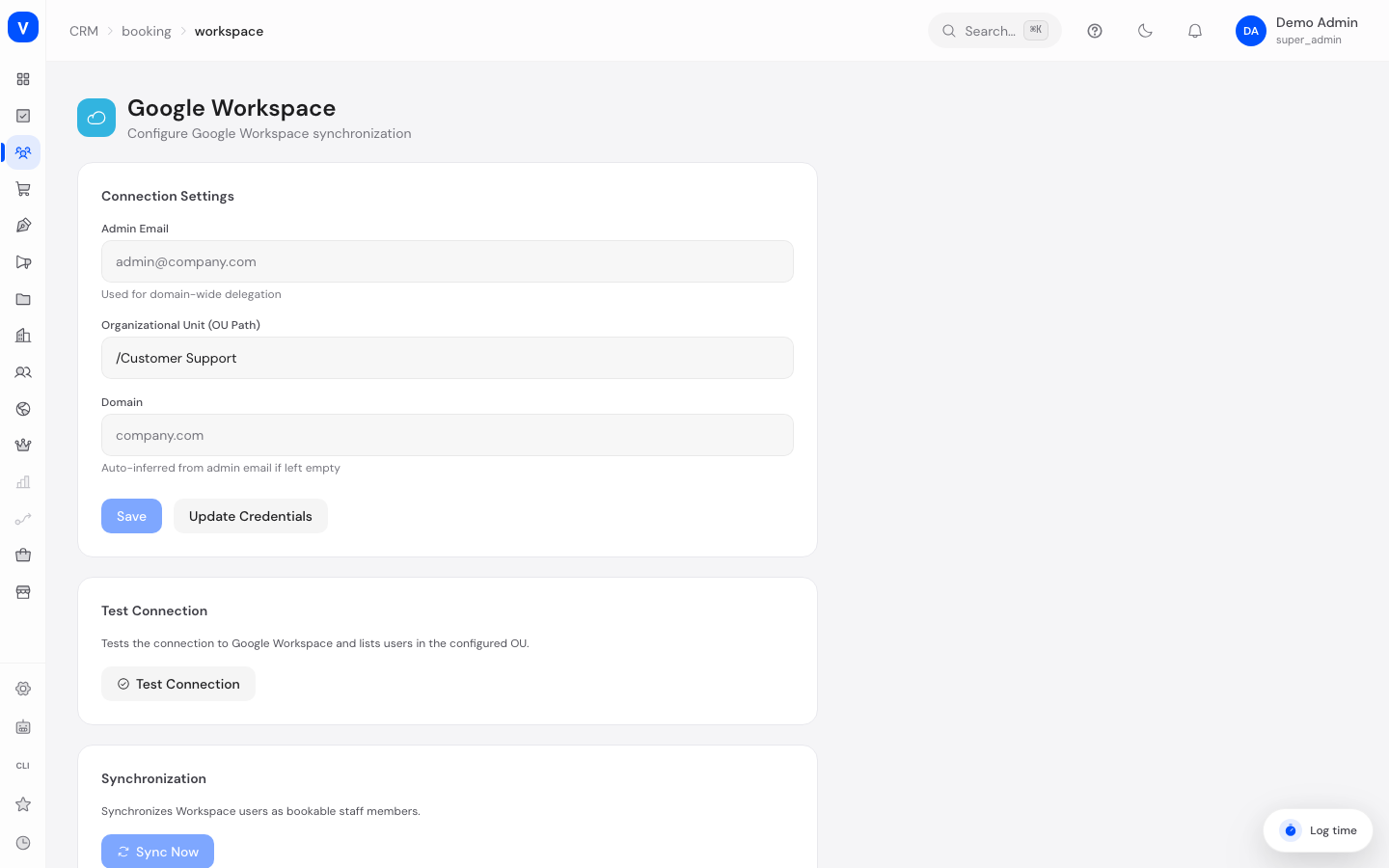
/appointments/workspace| Admin Email | Organizational Unit (OU Path) | Domain |
|---|---|---|
| admin@example.invalid | /Consulting | example.invalid |
/appointments/workspaceFields explained
| Field | Meaning | Notes/Effect |
|---|---|---|
| Admin email | Google Workspace administrator account | Used for domain-wide delegation |
| Organizational Unit (OU Path) | Path of the Google Workspace OU whose users get synced | Only users within this OU are considered |
| Domain | Your Google Workspace domain | Inferred automatically from the admin email if left blank |
| Service account credentials | Full JSON key of the Google service account | Required so SCS can access Google Workspace |
| User preview | List of users found during the connection test | Shows who would be included in the sync |
| Imported | Number of newly created bookable staff from the sync | — |
| Updated | Number of existing staff that were updated | — |
| Skipped | Number of users that were not imported | E.g. already-suspended accounts |
| Errors | Number of users where the sync failed | See the error list for details |
Values & Status
Connection status
| Label | Plain meaning | What happens then |
|---|---|---|
| Connected and configured | Credentials are stored and working | Syncing is possible |
| Not yet configured | No valid credentials are stored | Upload service account credentials first |
Frequently asked questions
What happens to a user whose Google account is suspended?
Suspended users are flagged as "Suspended" during the sync and not imported as active bookable staff.
Do I need to trigger the sync manually on a regular basis?
Yes, syncing via "Sync Now" is manual — new Workspace users only appear as bookable staff after you run a sync again.
Who else uses these credentials?
The service account is shared with the HR calendar integration - it is the same Google access, and it now lives in exactly one place. Revoking it therefore belongs under Security -> Google credentials, which clears every place at once. The "Remove connection" button on this page only disconnects the appointment side (the organisational-unit filter) and leaves the shared key untouched.
Why can I not change the credentials?
As soon as the calendar integration in the personnel area runs on the same Google access, the key belongs there. You can still change the organisational unit on this page, but admin email, domain and the service-account key only with the Manage calendar integration permission from the personnel area - otherwise saving is refused and the running calendar sync stays as it is. If your workspace has no active calendar integration, you set the connection up here as usual.
Where do I see the staff imported from Google Workspace?
Imported users appear as bookable staff on the "Staff" tab of Appointment Booking Settings.